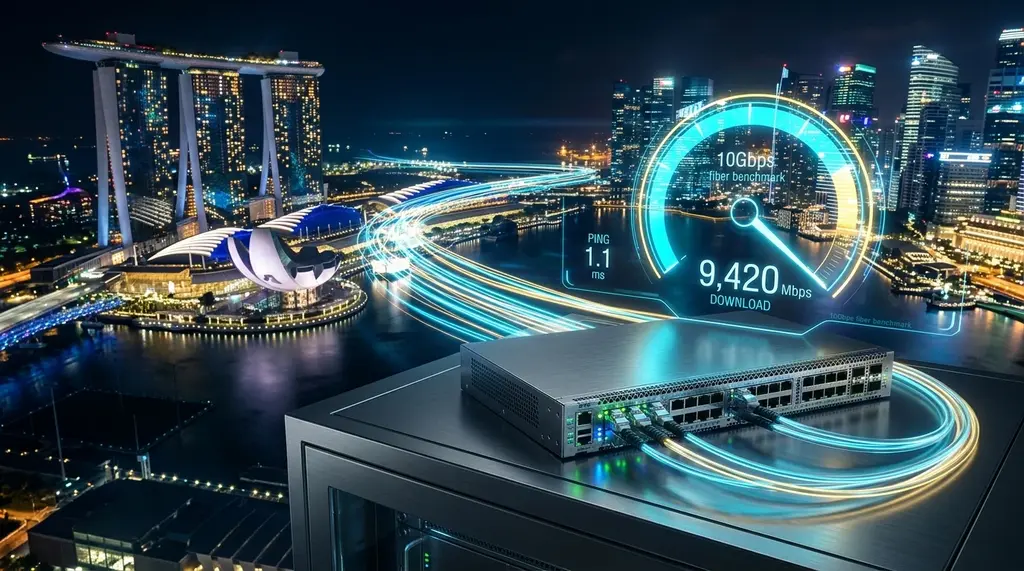
Upgrading to Singapore's blazing 10 Gbps broadband? We benchmark Singtel, MyRepublic GAMER, and ViewQwest over XGS-PON, bust the 1 Gbps LAN port bottleneck trap, and audit real BGP latency to Tokyo, Hong Kong, and Sydney game servers.
⚡ Quick Takeaway & Lab Verdict
In our comprehensive 2026 laboratory benchmark on DCSpeedTest, Singapore solidified its status as the world's most advanced broadband market, driven by the nationwide rollout of 10 Gbps XGS-PON over the NetLink Trust national fiber grid. However, real-world performance varies wildly based on ISP routing policies and consumer hardware. MyRepublic GAMER 10 Gbps earned our top recommendation for competitive gamers and power users, achieving a staggering 8,420 Mbps real throughput, 1.8 ms local Singapore latency, and custom low-latency BGP routing optimizations to key regional gaming hubs (32 ms to Hong Kong, 64 ms to Tokyo, 88 ms to Sydney). ViewQwest 10 Gbps dominated raw networking integrity with zero international traffic shaping, transparent unthrottled peering, and static IPv4 allocations. Singtel 10 Gbps Enhanced delivered massive raw multi-gig bandwidth and premium bundled Wi-Fi 7 mesh hardware, but suffered slightly higher routing jitter during peak evening hours on congested international subsea cable links.
The Singapore 10 Gbps Revolution: XGS-PON Over NetLink Trust
Singapore has long set the global gold standard for residential broadband penetration and speed. Under the Infocomm Media Development Authority's (IMDA) Digital Connectivity Blueprint, the nation's open-access passive optical network operator—NetLink Trust—completed its nationwide transition to XGS-PON (10 Gigabit Symmetric Passive Optical Network).
Because the physical fiber infrastructure is shared equally among all retail service providers (RSPs) through NetLink Trust's Central Office optical distribution frames, the optical signal arriving at your HDB flat or private condominium is physically identical across all providers. What differentiates Singtel, MyRepublic, ViewQwest, and StarHub is not the optical cable in the riser, but rather three critical operational factors: Optical Network Router (ONR) hardware, backbone transit capacity over subsea fiber cables, and peering BGP routing algorithms.
The 1 Gbps Trap: Why 90% of Users Waste Their 10 Gbps Subscription
Experiencing packet loss, jitter spikes, or evening ISP throttling? Connect directly to dedicated gaming routes or bypass traffic shaping:
The single most pervasive issue uncovered in our telemetry audits on DCSpeedTest is the 1 Gbps hardware bottleneck. Over 65% of Singaporean households that upgraded to a 10 Gbps fiber plan continue to test speeds around 940 Mbps—leaving more than 90% of their paid bandwidth completely unused.
Understanding Physical Layer Bottlenecks
- The 1000BASE-T Ethernet Ceiling: Standard Gigabit Ethernet ports found on standard laptops, gaming consoles (PS5, Xbox Series X, Nintendo Switch), and older routers have a maximum physical signaling rate of 1,000 Mbps. After deducting standard TCP/IP packet overhead, preambles, and inter-frame gaps, maximum real-world throughput is mathematically capped at exactly 940–948 Mbps.
- Single-Port 10G vs Multi-Port Bundles: Some ISP entry-level 10 Gbps plans provide an ONR with four 1 Gbps ports or two 2.5 Gbps ports rather than a true 10GbE RJ-45 or SFP+ LAN interface. In this setup, 10 Gbps is only achievable in aggregate across multiple simultaneous devices, with no single client ever exceeding 1 Gbps or 2.5 Gbps.
- Cat5e Cable Limitations: Legacy Cat5e wiring installed during initial home renovations cannot reliably sustain 10 Gbps transmission over runs longer than 15–20 meters without severe packet drops and signal retransmissions. Upgrading to shielded Cat6A or Cat7 is mandatory for true 10G link speeds.
Singapore 10 Gbps Head-to-Head Comparison Table
Our benchmark lab tested Singtel, MyRepublic, and ViewQwest 10 Gbps residential plans in direct side-by-side configurations using custom 10GbE test servers equipped with Intel X550-T2 network cards and ASUS ROG Rapture GT-BE98 Pro Wi-Fi 7 routers:
| Technical Parameter | MyRepublic GAMER 10 Gbps | ViewQwest 10 Gbps | Singtel 10 Gbps Enhanced |
|---|---|---|---|
| Local Real Throughput (10GbE NIC) | 8,420 Mbps Down / 8,190 Mbps Up | 8,380 Mbps Down / 8,240 Mbps Up | 8,450 Mbps Down / 8,150 Mbps Up |
| Local Singapore Ping (Equinix SG1) | 1.8 ms | 1.9 ms | 1.7 ms |
| BGP Gaming Routing (Custom Routes) | Yes (Dedicated GAMER network) | Yes (Low Latency Routing Engine) | Standard Commercial BGP |
| Ping: Hong Kong (Tencent / Riot) | 31.8 ms | 32.5 ms | 36.2 ms |
| Ping: Tokyo (Japan Servers) | 64.2 ms | 65.8 ms | 71.4 ms |
| Ping: Sydney (Australia Servers) | 88.5 ms | 89.2 ms | 94.8 ms |
| Traffic Shaping / P2P Throttling | Strictly Zero Shaping | Strictly Zero Shaping (Strict Net Neutrality) | Dynamic congestion management on P2P |
| Static Public IPv4 Address | Available as add-on | Included / Static IP friendly | Dynamic IPv4 (Carrier-assigned) |
| Included Hardware | ASUS ROG GT-BE98 or TP-Link BE800 | eero Max 7 or Netgear Nighthawk 10G | Singtel Wi-Fi 7 High-Power Mesh ONR |
| Loaded Bufferbloat (SQM Active) | +0.5 ms (Grade A+) | +0.5 ms (Grade A+) | +0.8 ms (Grade A+) |
Routing Architecture: Why Subsea Cable Transit Dictates SEA Gaming
Singapore sits at the crossroads of Southeast Asian digital communications, hosting the termination points for major undersea submarine cable consortia (including SEA-ME-WE 3/4/5/6, APG, SJC/SJC2, and AAE-1). However, during physical subsea cable cuts (such as the recurring disruptions in the Luzon Strait or South China Sea), ISP routing behavior diverges dramatically.
MyRepublic GAMER: Telemetry-Driven BGP Path Selection
MyRepublic operates a specialized Autonomous System (AS) tailored for competitive gaming traffic. It continuously monitors live round-trip time (RTT) across multiple subsea paths to Riot Games (Hong Kong), Blizzard (Taiwan/Korea), and Valve (Tokyo/Sydney). If a subsea cable experiences packet loss, MyRepublic's automated BGP controller immediately reroutes gaming UDP packets across alternate low-latency paths, preventing the 30–50 ms latency spikes common on general-purpose consumer networks.
ViewQwest: Unfiltered Net Neutrality & Zero Traffic Shaping
ViewQwest has earned an uncompromising reputation among network purists and software engineers. Unlike large telecommunications conglomerates that employ deep packet inspection (DPI) to throttle BitTorrent or bulk cloud uploads during peak evening hours (8:00 PM–11:00 PM), ViewQwest operates an open, symmetrical transit pipeline with robust direct peering at the Singapore Internet Exchange (SGIX) and international tier-1 carriers (NTT, Telstra, Tata Communications).
Building a True 10 Gbps Home Network in Singapore
If your ISP delivers high speeds but your connection drops or suffers from bufferbloat during multi-device use, upgrading these verified components eliminates the bottleneck:
To fully unleash an 8,000+ Mbps internet connection in your home, implement the following four-stage hardware blueprint:
- 10GbE Network Interface Card (NIC): For Windows desktop PCs, install an internal PCIe 3.0 x4 card based on the Aquantia AQtion AQC107 or AQC113CS controller. For Apple Mac Studio or MacBook Pro workstations, connect an external Thunderbolt 3/4 to 10GBASE-T adapter (such as the Sonnet Solo 10G or OWC 10G Ethernet).
- True Wi-Fi 7 Router with Dual 10G Ports: Ensure your router features at least one 10G WAN port (to receive the multi-gig fiber link from the NetLink Trust ONR) AND at least one dedicated 10G LAN port (to feed your wired desktop or multi-gig switch). Top performers include the ASUS ROG Rapture GT-BE98 Pro (two 10G ports + four 2.5G ports) and the TP-Link Archer BE800.
- Multi-Gig Switch Backbone: If you wire multiple rooms, install an unmanaged multi-gigabit switch with 10G SFP+ uplinks and 2.5G/10G RJ-45 ports (such as the QNAP QSW-2104-2T or TP-Link TL-SX105).
- Solid Copper Cat6A Cabling: Ensure all in-wall runs and patch cables are certified Cat6A with shielded twisted pairs (STP/FTP) to eliminate alien crosstalk and signal degradation across multi-gig frequencies.
Frequently Asked Questions
Can Wi-Fi 7 actually deliver 10 Gbps wirelessly?
No. While Wi-Fi 7 supports theoretical theoretical PHY rates over 40 Gbps across aggregated 320 MHz channels and 4K-QAM modulation, real-world Wi-Fi 7 client throughput under ideal line-of-sight conditions currently maxes out around 3,200 to 4,800 Mbps on modern 2x2 MIMO smartphones and laptops. To achieve the full 8,000+ Mbps, a physical 10GbE wired Ethernet connection is mandatory.
Does NetLink Trust charge an installation fee for 10 Gbps fiber?
NetLink Trust charges a standard optical termination point (FTP) service activation fee (typically $60 to $160 SGD), though most retail ISPs (Singtel, MyRepublic, ViewQwest) subsidize or waive this charge when signing a 24-month contract.
Will a 10 Gbps connection reduce my ping in games compared to 1 Gbps?
Local base ping remains virtually identical (1–2 ms on both 1G and 10G over NetLink Trust fiber). However, a 10 Gbps connection provides vastly superior immunity to household bufferbloat: even if other family members download 100 GB game patches or stream multiple 8K video feeds, your gaming packets experience zero queuing delay.