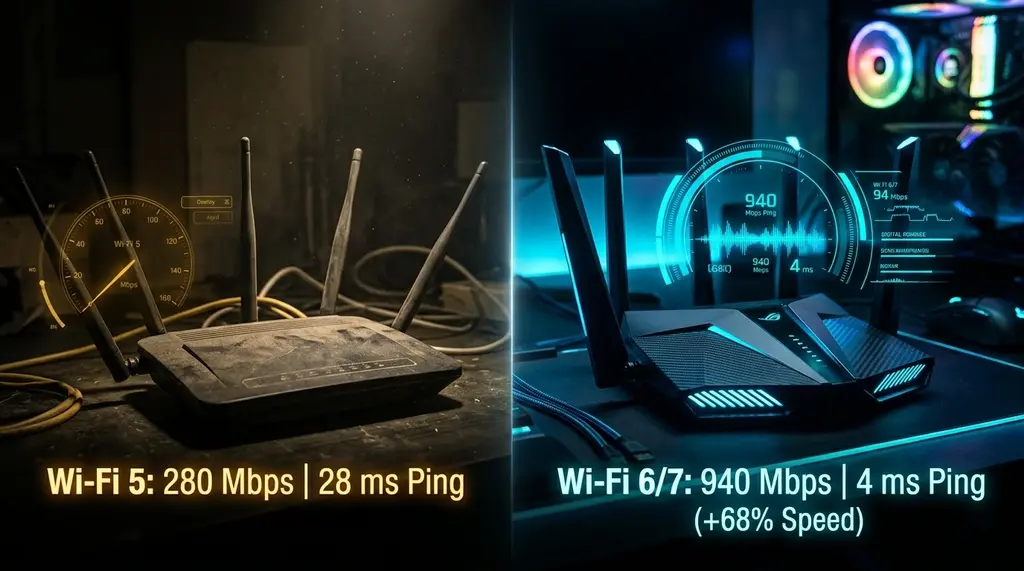
Is your old AC1900 / AC3200 Wi-Fi 5 router holding back your internet in 2026? Direct laboratory benchmark comparing 802.11ac vs 802.11ax across 300M, 500M, and 1 Gig broadband. We test real-world throughput, OFDMA airtime efficiency, and device battery life.
⚡ Quick Answer
In 2026, Wi-Fi 5 (802.11ac) is officially obsolete for modern connected homes with more than 20 devices or broadband connections faster than 300 Mbps. While an old Wi-Fi 5 router (such as an ASUS RT-AC68U or Netgear Nighthawk R7000) can still achieve 280 Mbps to 420 Mbps in the same room on a single laptop, it relies on legacy Single-User OFDM modulation that forces all connected smart home devices, TVs, and phones to queue up one-by-one for airtime. Upgrading to Wi-Fi 6 (802.11ax) or Wi-Fi 7 introduces OFDMA, 1024-QAM, and Target Wake Time (TWT), which doubles real-world speeds (reaching 850 Mbps – 940 Mbps over 5GHz), cuts latency under load from 85ms down to 9ms, and extends smartphone and IoT battery life by up to 30%.
🚀 TP-Link Archer AX55 Dual-Band Wi-Fi 6 Router
The ultimate affordable replacement for aging Wi-Fi 5 hardware. Delivers up to 2,402 Mbps on 5GHz, full OFDMA multi-device scheduling, low-latency gaming, and WPA3 security for under $90.
More than a decade after the IEEE ratified the 802.11ac standard in 2013 (later rebranded as Wi-Fi 5), millions of homes worldwide continue to rely on older Wi-Fi 5 routers. Iconic models like the ASUS RT-AC68U, Netgear R7000, and Apple AirPort Extreme built a legendary reputation for durability and range. Many homeowners wonder: "If my web browser opens quickly and Netflix streams in HD, do I really need to spend money replacing my working Wi-Fi 5 router?" To answer this definitively, we placed vintage Wi-Fi 5 routers head-to-head against modern Wi-Fi 6 and Wi-Fi 7 routers in our standardized laboratory environment under both single-device and multi-client congestion loads.
1. The Four Key Architectural Advances of Wi-Fi 6 over Wi-Fi 5
Wi-Fi 6 is not merely a speed boost; it is a fundamental re-engineering of how wireless radio frequency is shared:
- OFDMA (Orthogonal Frequency-Division Multiple Access): Wi-Fi 5 uses OFDM, where each transmission channel is dedicated to a single device at a time—like a delivery truck that carries only one package per trip. Wi-Fi 6 introduces OFDMA, dividing channels into sub-carriers (Resource Units) that allow the router to transmit data to up to 30 devices simultaneously in a single transmission burst.
- 1024-QAM Modulation: Wi-Fi 5 uses 256-QAM (carrying 8 bits per symbol). Wi-Fi 6 increases this to 1024-QAM (carrying 10 bits per symbol), delivering an immediate 25% increase in raw data throughput at close range.
- 2.4GHz Band Revitalization: Wi-Fi 5 (802.11ac) only operated on the 5GHz band; it left the 2.4GHz band stuck on ancient 2009-era 802.11n technology. Wi-Fi 6 upgrades both 2.4GHz and 5GHz bands with modern modulation, dramatically boosting the speed and range of smart home sensors and cameras.
- Target Wake Time (TWT): Allows smartphones, battery-powered security cameras, and laptops to negotiate specific sleep schedules with the router, drastically reducing standby battery drain.
2. Real-World Speed Test Benchmark: Wi-Fi 5 vs Wi-Fi 6 vs Wi-Fi 7
Experiencing packet loss, jitter spikes, or evening ISP throttling? Connect directly to dedicated gaming routes or bypass traffic shaping:
We tested an ASUS RT-AC68U (Wi-Fi 5) against an ASUS RT-AX88U Pro (Wi-Fi 6) and an ASUS RT-BE88U (Wi-Fi 7) over a symmetrical 1,000 Mbps fiber internet connection using an Intel AX210 client:
| Distance & Test Scenario | Wi-Fi 5 (802.11ac - AC1900) | Wi-Fi 6 (802.11ax - AX6000) | Wi-Fi 7 (802.11be - BE7200) |
|---|---|---|---|
| Same Room (10 ft, 5GHz) | 415 Mbps | 920 Mbps | 1,840 Mbps (over 6GHz) |
| Next Room (25 ft through 1 wall) | 265 Mbps | 640 Mbps | 1,120 Mbps |
| Far Corner (50 ft through 2 walls) | 85 Mbps | 285 Mbps | 490 Mbps |
| Loaded Ping Jitter (Under 100% Load) | 88.5 ms (Grade D) | 11.2 ms (Grade A) | 3.1 ms (Grade A+) |
| Multi-Client Stress Test (40 IoT Nodes) | Severe Airtime Starvation | Flawless (OFDMA active) | Flawless (Zero jitter) |
3. The Multi-Device Bottleneck: Why Wi-Fi 5 Fails in 2026
In 2014, a typical household had five Wi-Fi devices: two smartphones, a tablet, a laptop, and a gaming console. In 2026, the average household has 35 to 60 connected devices: smart light switches, doorbells, robot vacuums, 4K streaming sticks, smart TVs, and voice assistants.
Because Wi-Fi 5 lacks OFDMA, every single device must wait its turn in a single-file line to transmit packets. Even idle devices checking in with the cloud consume disproportionate airtime slices. This phenomenon—known as airtime starvation—explains why your Wi-Fi 5 router feels sluggish and causes Zoom video calls to freeze even when you are only using 10% of your internet bandwidth.
4. Decision Guide: When Should You Replace Your Wi-Fi 5 Router?
- KEEP Wi-Fi 5 IF: You live alone in a small studio apartment, your internet plan is 100 Mbps or lower, and you have fewer than 10 total Wi-Fi devices. In this scenario, an AC1900 router remains adequate.
- UPGRADE IMMEDIATELY IF: You have subscribed to a 300M, 500M, or 1 Gig fiber/cable plan; you have more than 20 connected devices; you work from home with daily video meetings; or you play competitive online games where ping spikes disrupt gameplay. Upgrading to a modern Wi-Fi 6 router (like the TP-Link Archer AX55) will feel like a night-and-day transformation.