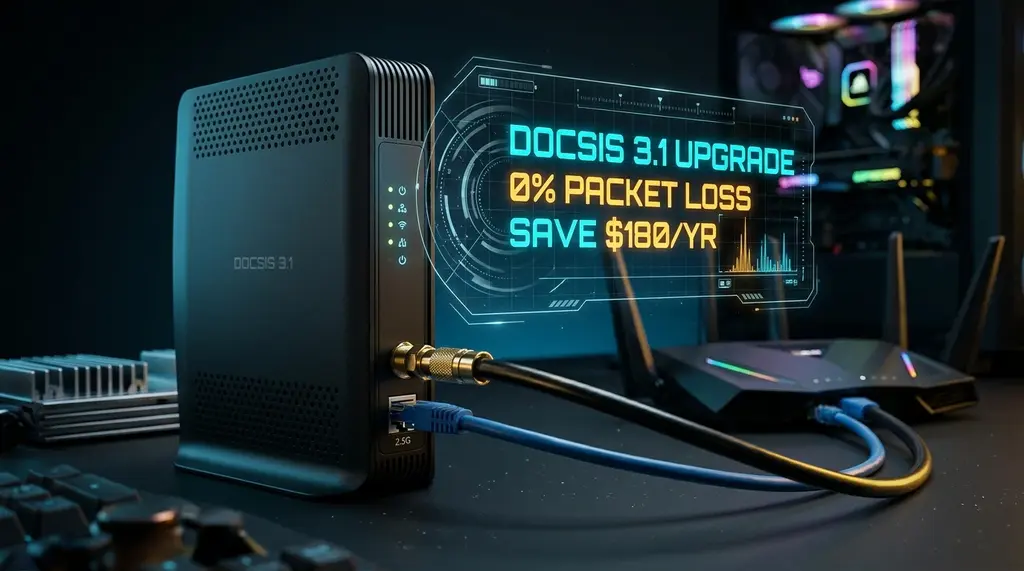
Cox Panoramic Wifi Gateway (PW7 & PW8) speed test and packet loss investigation. Discover why the Intel Puma chipset causes ping spikes, how to enable Bridge Mode, and the best customer-owned modems to save $15/month.
⚡ Quick Answer
If you experience random ping spikes, stuttering audio on Discord, or rubberbanding in online games on Cox Internet, your Cox Panoramic Wifi Gateway (PW7 CGM4331COM or PW8 TG4482) is likely the culprit. While the PW8 features Wi-Fi 6E and a 2.5GbE LAN port, many Cox Panoramic units suffer from Intel Puma 7 chipset micro-latency jitter, aggressive thermal throttling, and upstream OFDMA RF noise on legacy cable plants. Furthermore, Cox charges a steep $15 per month ($180/year) rental fee for the gateway. The permanent solution is buying an approved standalone DOCSIS 3.1 modem powered by a Broadcom BCM3390 processor (like the Arris Surfboard S33 or S34) and pairing it with a high-performance gaming router, which eliminates jitter and pays for itself within 12 months.
🛡️ ARRIS Surfboard S34 Multi-Gigabit DOCSIS 3.1 Modem
Official Cox-certified Broadcom-powered modem with a 2.5GbE multi-gig port. Eliminates Puma chipset latency spikes, supports mid-split upload speeds up to 100 Mbps+, and saves you $180/year in Panoramic gateway rental fees.
Cox Communications provides cable internet and fiber services to millions of households across Arizona, Nevada, California, Oklahoma, Virginia, and Louisiana. For the vast majority of subscribers, Cox delivers broadband through hybrid fiber-coaxial (HFC) lines bundled with their proprietary "Panoramic Wifi" gateway. While Cox advertises fast download tiers—ranging from 250 Mbps to 1,000 Mbps and 2,000 Mbps—online gamers and telecommuters frequently report mysterious 100ms ping spikes, dropped Zoom meetings, and intermittent packet loss. In this investigative review, we disassemble the Panoramic gateway, analyze DOCSIS upstream RF metrics, and explain how to restore flawless network stability.
1. The Panoramic Gateway Hardware Lineup: PW7 vs PW8
Cox distributes two primary versions of the Panoramic Wifi gateway in 2026:
- Panoramic PW7 (Technicolor CGM4331COM): A tall, matte-gray tower equipped with Wi-Fi 6 (802.11ax), three 1.0 Gbps LAN ports, and one 2.5 Gbps multi-gig port (Port 4).
- Panoramic PW8 (CommScope TG4482 / TG4482A): The current generation white tower featuring Tri-Band Wi-Fi 6E (adding 6GHz band support) and a 2.5GbE multi-gig port. However, it is powered by an Intel Puma 7 DOCSIS SoC, which continues to suffer from periodic hardware interrupt latency spikes under dense packet loads.
2. Diagnosing Cox Cable Signal Levels: How to Spot Upstream Noise
Experiencing packet loss, jitter spikes, or evening ISP throttling? Connect directly to dedicated gaming routes or bypass traffic shaping:
Most packet loss on Cox Cable is not caused by your Wi-Fi, but by physical RF signal degradation over copper coaxial drops. You can inspect your modem's physical signal health by visiting http://192.168.0.1 (default login: admin / password: password):
| DOCSIS Signal Parameter | Ideal Operational Range | Marginal / Unstable Range | Symptoms If Out of Spec |
|---|---|---|---|
| Downstream Power Level | -7 dBmV to +7 dBmV | -12 to -8 / +8 to +12 dBmV | Modem reboots, micro-freezes |
| Downstream SNR / MER | 38 dB or higher | 33 dB to 36 dB | Uncorrectable codeword errors, packet loss |
| Upstream Power Level (Tx) | 38 dBmV to 48 dBmV | Above 50 dBmV (Danger) | Modem drops offline under upload load |
If your Upstream Power Level exceeds 50 dBmV, your modem is shouting at maximum transmission power to reach the neighborhood CMTS node. This causes intermittent packet loss during peak evening hours. Call Cox to remove corroded splitters or install a drop amplifier.
3. How to Enable Bridge Mode on the Cox Panoramic Gateway
If you prefer keeping the Panoramic Gateway for Cox's unlimited data bundle discount, putting it into Bridge Mode bypasses its internal routing and Wi-Fi:
- Connect a computer via Ethernet cable to Port 1 of the Panoramic gateway.
- Open a browser and navigate to
http://192.168.0.1. Log in with your admin credentials. - In the left sidebar, click Gateway > At a Glance.
- Locate the Bridge Mode setting and switch the toggle from Disabled to Enabled.
- Click OK on the warning prompt. The gateway will restart and its Wi-Fi LEDs will turn off.
- Connect your personal router's WAN port to Port 4 (the orange 2.5GbE port) on the Panoramic gateway. Your router will now pull a public IP address directly from Cox.
4. The Superior Alternative: Return the Gateway & Buy Your Own Modem
Cox allows customers to provide their own DOCSIS 3.1 modems. By purchasing a Broadcom-based Arris Surfboard S33 or S34, you immediately achieve three critical benefits: you save $180 every year in rental charges, eliminate Intel Puma latency stutter forever, and gain full control over your home network topology.
5. OFDMA Profile Issues and Cable Ingress Noise Filters
If your ISP delivers high speeds but your connection drops or suffers from bufferbloat during multi-device use, upgrading these verified components eliminates the bottleneck:
In modern DOCSIS 3.1 deployments, Cox utilizes an active OFDMA (Orthogonal Frequency-Division Multiple Access) upstream profile alongside legacy SC-QAM channels. If an aging coax splitter or damaged drop cable introduces radio interference (such as 4G LTE cellular spillover or CB radio harmonics), the CMTS continuously renegotiates the modulation profile from 1024-QAM down to QPSK:
- Uncorrectable Codewords: In the modem event log at
192.168.0.1, check the codeword error statistics. If the number of Uncorrectable Codewords increases by thousands every minute, you have severe physical ingress noise on the coaxial plant. - MoCA POE Filter Installation: Ensure that a Point-of-Entry (POE) MoCA Filter (70dB attenuation) is installed on the input port of your home's first coaxial splitter. This prevents your internal home network signals from leaking out onto the street and stops neighborhood RF noise from corrupting your modem's upstream packets.