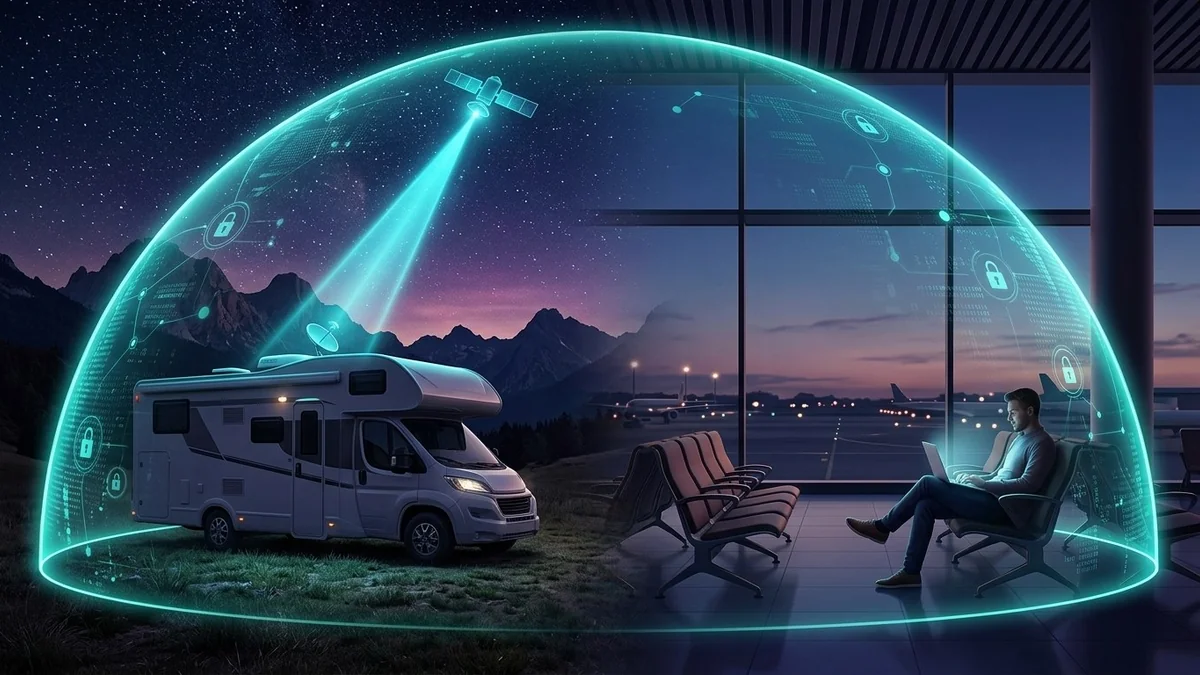
Traveling for Thanksgiving, Christmas, or full-time RV life with Starlink Roam? Learn how to configure Surfshark's Auto-Connect, Kill Switch, Alternative ID, and travel router WireGuard across unlimited travel devices.
Surfshark for Travel, Airports & RV Starlink Roam: Complete 2026 Setup Guide
Protect unlimited phones, PCs, Apple TV / Fire TV, and gaming routers with Surfshark WireGuard + CleanWeb + Antivirus at 2026 Black Friday checkout rates.
Whether you are boarding a crowded Thanksgiving or Christmas flight, checking into chain hotels for business, or working remotely from an RV powered by Starlink Roam and a 5G hotspot, staying online on the road exposes you to a completely different set of network traps than your home Wi-Fi.
Airports and hotels are flooded with spoofed Evil Twin hotspots, aggressive streaming bandwidth caps, and captive portals that harvest your real email for spam. Meanwhile, RV Starlink Roam travelers constantly battle wrong-state PoP geolocation, sports blackouts, and CGNAT banking blocks.
That is why Surfshark has become the go-to travel VPN for US flyers, families, and digital nomads in 2026: one $2.49/month Black Friday subscription protects unlimited travel devices—every phone, laptop, iPad, travel Fire TV Stick, Nintendo Switch, and portable GL.iNet router in your backpack or RV.
Here is your complete 2026 Surfshark Travel & RV Playbook—from 2-minute pre-flight phone settings to full RV Starlink Roam WireGuard setups.
Protect Every Device in Your Travel Bag & RV (Black Friday 2026)
Lock in Surfshark One's Black Friday 2026 Deal ($2.49/mo + 3 Free Months — $67.23 for 27 Months)—unlimited simultaneous devices, Auto-Connect on public Wi-Fi, Alternative ID for hotel portals, and a 30-day money-back guarantee.
Part 1: 3-Minute Pre-Flight Setup for Airports & Hotels (Phones & Laptops)
Always configure these four Surfshark settings at home before leaving for the airport:
- Turn On Auto-Connect for Untrusted Wi-Fi: Open Surfshark > Settings > VPN Settings > Auto-Connect. Mark your home Wi-Fi as Trusted and enable automatic connection on every unknown Wi-Fi network. The second your iPhone or laptop joins
Delta_Airport_WiFiorHilton_Honors, WireGuard encryption locks in automatically. - Enable the Kill Switch: Stops your banking app, Slack, or Black Friday shopping checkout from ever leaking an unencrypted packet if shaky terminal Wi-Fi drops mid-session.
- Lock WireGuard (With OpenVPN TCP as In-Flight Backup): WireGuard gives you the fastest handshake and lowest battery drain (under 3–5% extra battery per travel day) on airport Wi-Fi. If an older airplane Wi-Fi firewall blocks UDP mid-flight, switch to OpenVPN (TCP) in two taps.
- Create a Masked "Travel Email" With Alternative ID: Tired of giving Marriott, airport lounges, and café Wi-Fi portals your real Gmail only to drown in spam for two years? Generate a disposable Surfshark Alternative ID email before your trip—confirmations forward cleanly to your inbox, and you can delete the alias in one click later.
The 15-Second Hotel Captive Portal Trick
If a hotel or airline Wi-Fi "Accept Terms" sign-in page won't load because Surfshark is already active:
- Tap Surfshark's Pause (5 minutes) button.
- Open your browser, visit
neverssl.comto force the hotel login screen, and click Connect. - Tap Resume in Surfshark immediately—before opening email, banking, or shopping apps.
Part 2: The Ultimate RV & Starlink Roam Travel Setup (GL.iNet + Surfshark)
Prevent evening bandwidth shaping, DNS/WebRTC leaks, and phishing attacks across every household device (PC, PS5/Xbox routers, Smart TVs & phones) with 30-day money-back protection:
Disclosure: Partner affiliate link — we may earn a commission at no extra cost to you.
Full-time RVers and road-trippers running Starlink Mini / Starlink Roam or a T-Mobile/Verizon 5G hotspot love pairing Surfshark with a pocket-sized GL.iNet travel router (like the Beryl AX or Slate AX):
| Travel Scenario | Best Surfshark Setup | Key Benefit |
|---|---|---|
| Hotel Room With Family (4+ Devices + Fire TV) | Plug pocket GL.iNet travel router into hotel Wi-Fi (Repeater Mode) running Surfshark WireGuard | Connect 1 time to hotel captive portal; all phones, laptops & Fire TV auto-encrypt and bypass hotel streaming throttling |
| RV Starlink Mini / Starlink Roam | Put Starlink in Bypass Mode (or Ethernet into GL.iNet WAN) + Surfshark WireGuard (MTU = 1360) | Fixes out-of-state Starlink PoP sports blackouts, shields RV work laptops & avoids CGNAT reputation issues |
| Remote Work & US Banking on the Road | Add optional Surfshark Dedicated US IP to your account | Work from 12 different states in a month while banks & corporate dashboards see 1 clean static US IP |
Pro Tip for RV & Hotel Speed Checks: Every time you pull into a new campground or hotel room, run a 20-second check on DCSpeedTest.com and our IP & Leak Scanner to confirm your upload speed is solid enough for Zoom calls (aim for 10+ Mbps upload and jitter under 15 ms) and your real IP is completely sealed.
Part 3: Watching Home Sports & Streaming Abroad Without Blackouts
Packing an Amazon Fire TV Stick 4K or Apple TV in your suitcase turns any hotel TV into your home living room:
- Plug your Fire TV Stick into the hotel TV's HDMI port and launch the native Surfshark app.
- Connect to a Surfshark server in your home US metro region (20+ US cities available) to keep access to YouTube TV, ESPN+, Hulu, Max, and regional NFL/NBA games while out of state—and bypass the hotel's 3–5 Mbps video streaming throttle at the same time.
Frequently Asked Questions (FAQ)
Does Surfshark work on Delta, United, and American Airlines in-flight Wi-Fi?
Yes—especially on modern Viasat and Starlink-equipped aircraft. Pause Surfshark for 30 seconds to pass the airline's login portal, then reconnect over WireGuard (or switch to OpenVPN TCP if the aircraft blocks UDP ports).
Will Surfshark drain my iPhone or Android battery during a 10-hour travel day?
No—Surfshark's WireGuard protocol is engineered for mobile chips and typically uses less than 3% to 5% extra battery across a full day of airport layovers.
Can my whole family connect at the airport and hotel on one Surfshark plan?
Yes! Because Surfshark includes unlimited simultaneous devices, your spouse, kids, laptops, tablets, and travel Fire TV Stick all stay encrypted simultaneously under one $2.49/mo Black Friday subscription.
Travel Smarter, Faster & Safer This Holiday Season
Never rely solely on Wi-Fi when diagnosing bandwidth throttling. Test your direct line, encrypt against ISP shaping, or upgrade to shielded Cat6A Ethernet:
Never gamble with bank logins, work credentials, or Black Friday shopping cards on public hotspots. Claim Surfshark One's Black Friday 2026 Deal ($2.49/mo + 3 Free Months + Unlimited Devices) before your next trip and test every hotel or campground connection live on DCSpeedTest.com.