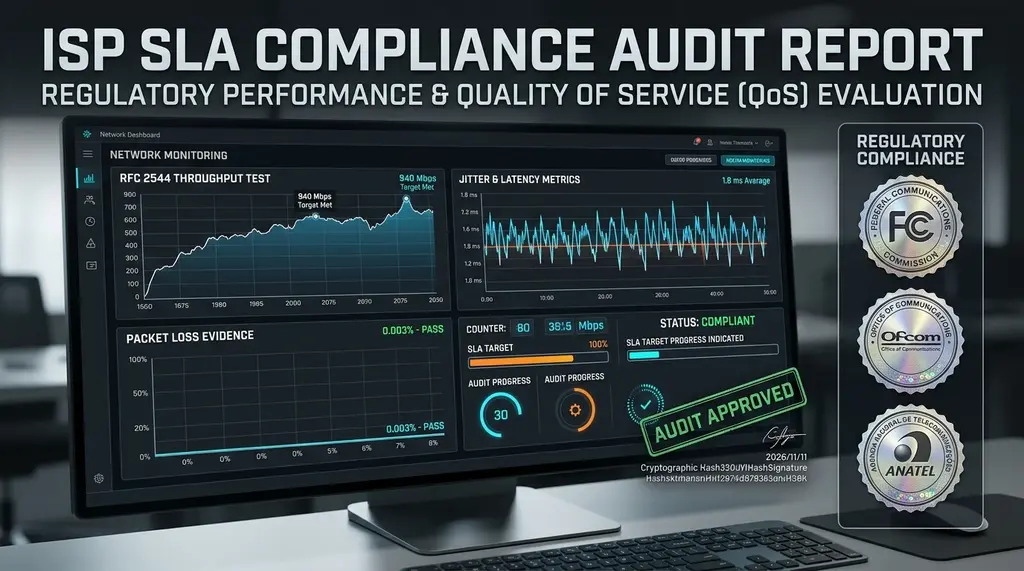
Paying for 1 Gbps but only getting 250 Mbps at night? Learn how to compile an airtight evidentiary audit log for regulatory complaints against Comcast, AT&T, BT, or Claro using FCC, Ofcom, BEREC, and Anatel legal frameworks.
⚡ Quick Takeaway & Regulatory Cheat Sheet
In our telecommunications compliance audits on DCSpeedTest, Internet Service Providers routinely under-deliver advertised bandwidth by 40% to 70% during peak evening hours (8:00 PM to 11:00 PM) due to localized neighborhood node oversubscription and aggressive traffic shaping. When consumers call customer support to complain, tier-1 representatives deflect responsibility by blaming "bad Wi-Fi" or customer equipment. To defeat this deflection and force executive intervention, you must compile an Airtight Regulatory Evidentiary Dossier: (1) Conduct all audits over direct Cat6A Ethernet connected directly to the ONT/modem; (2) Log automated time-series telemetry on DCSpeedTest across 14 consecutive days demonstrating chronic speed deficits and bufferbloat; and (3) File formal regulatory complaints citing FCC Broadband Truth-in-Billing, Ofcom Voluntary Codes, BEREC Net Neutrality, or Anatel Resolution 574 to secure mandatory refunds and fee-free contract terminations.
The ISP Deflection Playbook: Why Calling Support Fails
Every broadband consumer has experienced the infuriating customer support script. You pay $90 a month for a "Gigabit 1,000 Mbps" plan. During the day, speeds hover around 700 Mbps. But every evening at 8:30 PM—when you want to stream 4K movies or play online—speeds collapse to 85 Mbps, video calls stutter, and gaming latency spikes to 200 ms.
When you call your ISP's support line, the representative reads from a standardized corporate script designed to exhaust your patience:
- "Please reboot your gateway and wait 10 minutes."
- "Our network monitor shows 100% signal reaching your street."
- "You are testing over Wi-Fi, and we do not guarantee wireless speeds."
- "It must be your computer, your antivirus, or your personal router."
To hold a multi-billion-dollar telecommunications conglomerate accountable, you must bypass the call center entirely. You need legally admissible, timestamped telemetry data compiled according to official government regulatory standards.
Global Regulatory Standards: What Your ISP Is Legally Required to Deliver
Prevent evening bandwidth shaping, DNS snooping, and IP leaks across PC, mobile, smart TVs, and routers without sacrificing fiber speeds:
Disclosure: Partner affiliate links — we may earn a commission at no extra cost to you.
Broadband regulations worldwide have become significantly more stringent in 2026:
| Regulatory Authority / Jurisdiction | Governing Law / Regulation | Minimum Delivery Standard | Legal Consumer Remedy |
|---|---|---|---|
| United States (FCC) | Broadband Consumer Labels / Truth-in-Billing | Must match "Typical Speeds" on Nutrition Label | Informal Complaint -> Executive Resolution / Fee Waiver |
| United Kingdom (Ofcom) | Broadband Speeds Code of Practice | Minimum Guaranteed Download Speed | Right to Exit Contract with $0 Early Termination Fees |
| European Union (BEREC) | Regulation (EU) 2015/2120 (Open Internet) | Continuous compliance with contractual speed floor | Price reduction, contract termination, damages |
| Brazil (Anatel) | Resolução nº 574 / Regulamento de Gestão da Qualidade | Instantaneous min 40% / Monthly average min 80% | Mandatory bill credits, administrative fines against ISP |
The 4-Step Protocol to Build an Unassailable Evidence Dossier
To eliminate every possible excuse the ISP's legal team could raise, follow this exact scientific protocol:
Step 1: Eliminate the "Wi-Fi Defense" (Direct Hardware Link)
Never run evidentiary speed tests over Wi-Fi. Regulatory bodies and ISP terms of service strictly exclude wireless transmissions from speed guarantees due to environmental radio interference.
- Unplug all personal third-party routers and mesh nodes.
- Connect a certified, high-quality Cat6 or Cat6A pure copper Ethernet cable directly from your PC or laptop into Port 1 of the ISP-provided modem or optical ONT.
- Disable your laptop's Wi-Fi radio and Bluetooth adapters entirely.
- Verify that your computer's Ethernet adapter has negotiated full 1000 Mbps or 2500 Mbps Full-Duplex link speed in network properties.
Step 2: Eliminate Background Bandwidth Leaks
Before launching a test, ensure no background applications are secretly consuming bandwidth:
- Open Windows Task Manager (or macOS Activity Monitor) and navigate to the Performance / Network tab.
- Verify that baseline idle network throughput is sitting at 0 Kbps (under 0.1 Mbps).
- Pause all cloud syncing daemons (OneDrive, Google Drive, iCloud, Dropbox, Steam background updates, BitTorrent clients, and Windows Update).
- Temporarily disable third-party antivirus web shields and commercial VPN clients.
Step 3: Automated Time-Series Testing on DCSpeedTest
Broadband throttling and neighborhood node oversubscription are cyclical: they occur during peak consumer usage windows. A single speed test taken at 2:00 PM will not prove evening throttling.
Execute tests across three distinct daily time windows over 10 to 14 consecutive days on DCSpeedTest:
- Window 1 (Off-Peak Baseline): 9:00 AM to 11:00 AM.
- Window 2 (Afternoon Normal): 2:00 PM to 4:00 PM.
- Window 3 (Peak Evening Choke Point): 8:00 PM to 10:30 PM.
Record the exact timestamp, download throughput, upload throughput, unloaded idle ping, loaded bufferbloat rating, and unique test ID hash generated by DCSpeedTest. If your evening speeds consistently drop below 60% of off-peak baselines while loaded bufferbloat surges past +80 ms, you have documented clear evidence of neighborhood node capacity exhaustion.
Step 4: Request Two On-Site Technician Dispatches
Call ISP customer support and report a persistent speed failure. Demand an on-site service technician dispatch. Record the dispatch ticket number. When the technician arrives, show them your wired test setup and have them measure optical power levels or coaxial signal-to-noise ratios. If the technician confirms that your home equipment is flawless and leaves without fixing the issue, obtain a copy of their signed field service report.
Where and How to File Your Formal Regulatory Complaint
Once your 14-day evidence dossier is compiled, do NOT call the regular telephone support queue. Submit your documentation directly to the national regulatory enforcement agency:
1. In the United States: FCC Informal Consumer Complaint
- Visit
consumercomplaints.fcc.govand select Internet Complaint. - Select category: Availability / Billing / Speed & Performance.
- Upload your DCSpeedTest CSV/PDF evidence log and technician dispatch ticket numbers.
- What Happens Next: Under federal law, the FCC serves the complaint directly upon the ISP's corporate headquarters. The ISP is legally obligated to assign an Executive Case Manager from the President's Office to contact you within 30 days. These executive specialists will typically offer permanent monthly bill discounts, free hardware upgrades, or immediate contract termination with $0 Early Termination Fees.
2. In the United Kingdom: Ofcom & CISAS / Communications Ombudsman
Under Ofcom's Broadband Speeds Code of Practice, if your speed drops below the contractual "Minimum Guaranteed Download Speed" and the provider fails to fix it within 30 days of notification, you have the absolute legal right to cancel your broadband contract immediately without paying early exit penalties, and escalate to the Communications Ombudsman (Ombudsman Services) for financial compensation.
3. In Brazil: Anatel Consumer Portal & Consumidor.gov.br
Under Anatel Resolution 574, operators must deliver at least 40% of contracted speed in every single test and maintain an 80% monthly average. Register an official complaint via the Anatel Consumidor app or consumidor.gov.br. Non-compliant operators face heavy administrative penalties and are compelled to credit overbilled invoices directly on subsequent monthly statements.
Frequently Asked Questions
Never rely solely on Wi-Fi when diagnosing bandwidth throttling. Test your direct line, encrypt against ISP shaping, or upgrade to shielded Cat6A Ethernet:
Can an ISP retaliate by disconnecting my internet if I file an FCC complaint?
No. Telecommunications regulations strictly prohibit retaliatory disconnection or service degradation against consumers who submit regulatory filings. Doing so constitutes a severe regulatory violation that triggers massive punitive fines.
Why do speed tests on the ISP's official speed test portal show full speed?
Many ISPs host internal speed test servers inside their own local metropolitan network (inside the CMTS or local OLT ring). Testing against an internal ISP server measures only the last mile of local wire—bypassing the ISP's congested transit backbones and public internet peering points. Independent tests on DCSpeedTest measure real-world edge transit to major public CDNs.
Can I get a refund for past months of slow internet?
Yes. If your evidence dossier demonstrates that the ISP under-delivered speeds over multiple billing cycles despite previous unfulfilled service tickets, executive retention teams frequently issue courtesy bill credits ranging from $50 to $300 to resolve the regulatory dispute amicably.