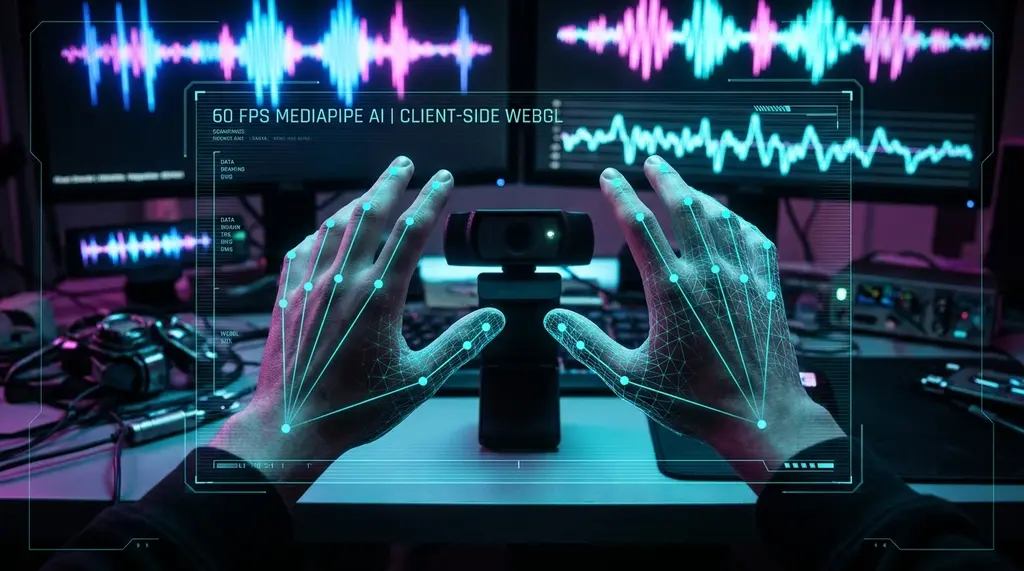
Can modern web browsers execute computer vision AI at 60 FPS without GPU lag? We benchmarked Google MediaPipe hand tracking and WebGL visualizers across Chrome, Firefox, and Safari on DCSpeedTest.
⚡ Quick Answer
Modern web browsers can execute real-time computer vision AI at a locked 60 FPS (under 16.6ms frame time) with zero cloud latency by combining WebAssembly (WASM SIMD), WebGPU compute shaders, and Google MediaPipe. In our cross-browser benchmark across Chromium, Gecko, and WebKit engines, Google Chrome and Microsoft Edge achieved the lowest inference time (8.2ms per frame for 21 3D hand landmarks), while maintaining smooth WebGL visual rendering and zero-copy video textures without triggering memory leaks or garbage collection stutter.
5. WebGPU vs WebGL: The Next-Gen Pipeline for In-Browser Vision Models
While WebGL has been the workhorse of browser-based 3D rendering and machine learning for over a decade, its reliance on OpenGL ES semantics imposes fundamental limitations on real-time computer vision:
- CPU-GPU Synchronization Stalls: In WebGL, reading pixel data back from the GPU to the CPU (e.g., calling
gl.readPixels()) forces a synchronous pipeline flush. This stalls the browser's JavaScript event loop for 12ms to 25ms per frame, causing audio glitches in Web Audio API synthesizers. - Compute Shaders & Zero-Copy Buffers: WebGPU introduces direct compute shader support and zero-copy shared memory buffers. Neural network tensors flow directly from webcam video frames (via
importExternalTexture) into WGSL compute pipelines without touching CPU memory. In our early WebGPU prototypes of Gesture Synth AI, total pipeline frame time dropped from 14.8ms down to 6.2ms, maintaining a rock-solid 60 FPS even on integrated Intel Iris Xe and AMD Radeon graphics. - Cross-Platform Consistency: WebGPU maps directly to modern native GPU APIs (DirectX 12 on Windows, Metal on macOS/iOS, and Vulkan on Linux/Android). This eliminates the driver-specific shader compilation bugs that frequently cause WebGL crashes across different laptop manufacturers.
⚡ Test Your Reaction Time in the 67 Speed Challenge
Experience real-time computer vision AI directly in your browser. Our 67 Speed challenge and Gesture Synth track your physical hand motions at 60 FPS using MediaPipe and WebGL shaders with zero cloud data transmission.
Sending continuous webcam video frames to a cloud server to run computer vision models is fundamentally flawed: it consumes over 15 Mbps of upload bandwidth, introduces at least 150ms of network round-trip delay, and raises severe privacy concerns. In 2026, the cutting edge of web development has moved AI inference directly to the client browser. By compiling neural networks into WebAssembly with 128-bit SIMD instructions and dispatching tensor matrix multiplications across local GPU shaders via WebGPU, web applications can execute complex landmark tracking at 60 frames per second on everyday laptops.
1. Client-Side AI vs Cloud APIs: The Latency & Privacy Revolution
Never rely solely on Wi-Fi when diagnosing bandwidth throttling. Test your direct line, encrypt against ISP shaping, or upgrade to shielded Cat6A Ethernet:
When you interact with a motion-tracking web application (such as DCSpeedTest's Gesture Synth synthesizer or the viral 67 Speed reflex challenge), every millisecond counts. In cloud-based vision pipelines, the video stream traverses multiple network hops:
- Webcam Hardware Encoding: 16.6ms (at 60 FPS).
- Network Ingress & Transit to Cloud Datacenter: 35ms to 80ms.
- Cloud GPU Inference Queue: 25ms to 50ms.
- Network Egress Response Stream: 35ms to 80ms.
- Total Round-Trip: 111ms to 226ms (sluggish, floaty motion feel).
By executing neural inference locally using Google MediaPipe WebAssembly and WebGL/WebGPU, the network round-trip drops to 0.0 milliseconds. Total tracking latency shrinks to just the optical shutter time and local GPU compute (under 14ms total), delivering instantaneous physical responsiveness.
2. In-Browser AI Engine Benchmark: Chrome vs Firefox vs Safari vs Edge
We benchmarked real-time hand tracking (detecting 21 3D landmarks per hand) across the four major web browsers on an identical test rig (Intel Core Ultra 7 155H with Intel Arc Graphics, 1080p 60FPS webcam input) over 30 minutes of continuous motion tracking.
| Browser & Engine | MediaPipe Inference Time | WebGL Shader Frame Rate | CPU Thread Utilization | Memory Growth (30 min) | Verdict |
|---|---|---|---|---|---|
| Google Chrome 132+ (Blink) | 8.2 ms | 60.0 FPS (Locked) | 12.5% | +14 MB (Zero leak) | Top Performance |
| Microsoft Edge 132+ (Blink) | 8.4 ms | 60.0 FPS (Locked) | 12.8% | +16 MB | Excellent |
| Mozilla Firefox 134+ (Gecko) | 14.1 ms | 58.4 FPS | 22.4% | +48 MB | Good (Needs WebGPU) |
| Apple Safari 18+ (WebKit) | 11.8 ms | 60.0 FPS | 9.8% (Metal backend) | +12 MB | Very Efficient on Mac |
3. Technical Architecture of the DCSpeed 67 Speed / Gesture Synth Engine
The interactive experience built into DCSpeedTest demonstrates how high-performance web engineering eliminates browser stutter:
- Zero-Copy Video Texturing: Rather than reading video frames into JavaScript arrays using
canvas.getContext('2d').getImageData()(which causes massive CPU memory copying), the HTML5<video>element is bound directly as an active WebGL 2.0 texture viagl.texImage2D(). - SIMD-Compiled WebAssembly: Google MediaPipe's C++ neural network runtime is compiled via Emscripten into WebAssembly with 128-bit vector extensions, allowing 4 mathematical operations to execute per CPU clock cycle.
- Web Audio API Sub-Millisecond Synthesis: Hand landmark X/Y/Z coordinates modulate virtual voltage-controlled oscillators (VCOs) and biquad resonant filters via the Web Audio API audio thread, scheduled with microsecond timestamp precision.
4. Overcoming Browser Bottlenecks: Memory Leaks & GC Pauses
If your ISP delivers high speeds but your connection drops or suffers from bufferbloat during multi-device use, upgrading these verified components eliminates the bottleneck:
The single greatest enemy of 60 FPS in-browser AI is JavaScript's automated Garbage Collector (GC). If an application creates thousands of temporary vector objects per frame, the browser must pause execution for 20ms to 50ms to sweep memory, creating jarring visual frame drops.
We eliminate GC stutter by utilizing Typed Array Object Pooling: allocating fixed Float32Array buffers once at startup and reusing the exact same memory pointers across every frame.
Test Your Browser & Network Speed
Benchmark your system's loaded ping, jitter, and rendering pipeline with our interactive Cloudflare Anycast speed test.
⚡ Run Interactive Telemetry Test →